Desktop vs Browser Bates Numbering: Complete Comparison Guide
Choosing between desktop software and browser-based tools for Bates numbering? Understand the key differences in deployment, security, performance, and workflow to make the right decision for your litigation support needs.
Desktop Bates Numbering Software
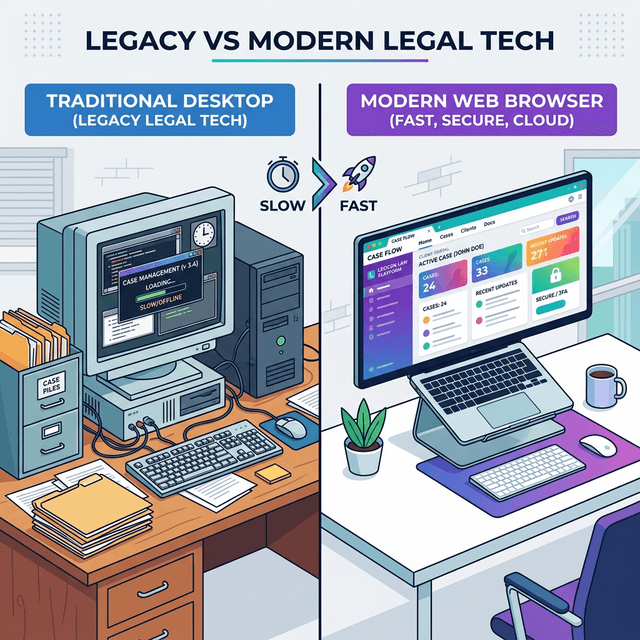
Desktop Bates numbering software is installed directly on your computer and runs as a native application. This traditional approach has been the standard for decades, with tools like Adobe Acrobat Pro and specialized litigation support software dominating the market.
How Desktop Software Works
Desktop applications are downloaded and installed on your Windows or Mac computer. They access files directly from your local file system, process documents using your computer's CPU and memory, and save output files back to your hard drive.
Typical workflow:
- Launch the desktop application
- Select PDF files from your computer
- Configure Bates numbering settings
- Process documents locally
- Save stamped files to your hard drive
Desktop Software Advantages
- No internet required: Works completely offline once installed
- Full system integration: Deep integration with operating system and file management
- Familiar interface: Traditional application experience users expect
- Advanced features: Often includes extensive PDF editing capabilities
- Batch processing: Can handle very large document sets
Desktop Software Disadvantages
- Installation required: Must install on each computer you use
- Platform limitations: Often Windows-only or requires separate Mac versions
- Updates and maintenance: Manual updates, compatibility issues
- Very high cost: Expensive licenses ($200-600+ per year)
- IT requirements: May need admin rights to install
- Limited mobility: Tied to specific computers
- Frequent crashes: Adobe Acrobat users report regular crashes and bugs (G2/Capterra reviews)
- Slow performance: Resource-heavy, especially Adobe products
- Bloated interface: Complex UI with features most users never need
- Poor support: Adobe customer support consistently rated poorly
Browser-Based Bates Numbering
Browser-based Bates numbering tools run entirely in your web browser without requiring installation. Modern browser technologies like WebAssembly enable these tools to process PDFs with performance approaching native desktop applications.
How Browser-Based Tools Work
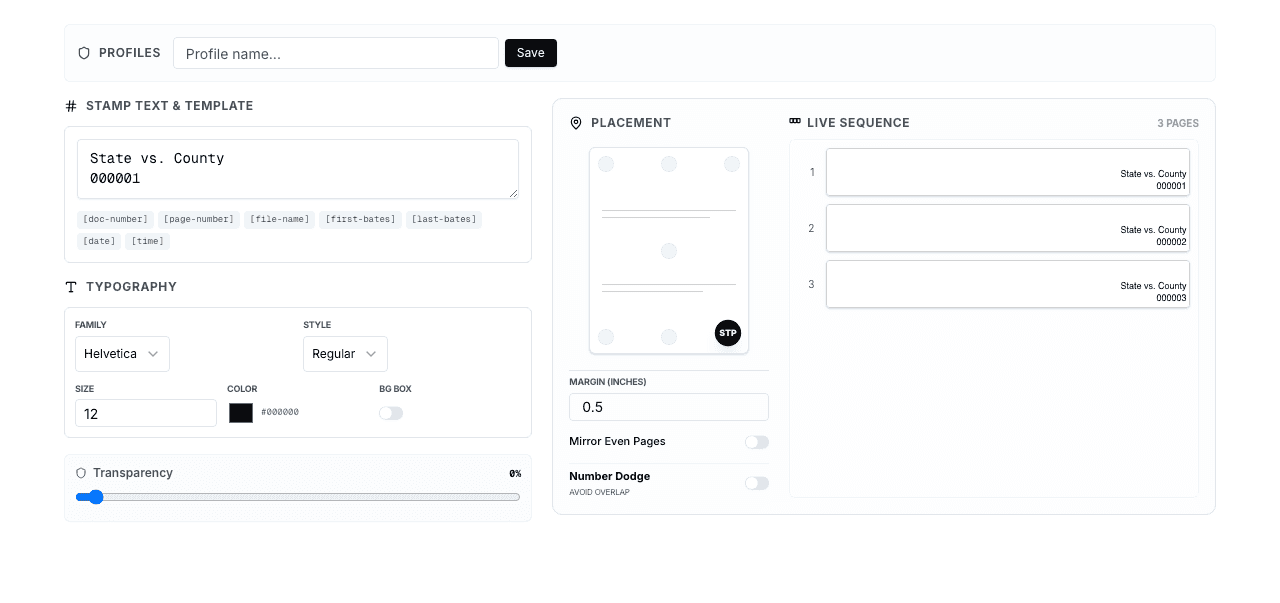
You simply visit a website in your browser (Chrome, Firefox, Safari, Edge). The application loads, you select files from your computer, and processing happens right in the browser using WebAssembly—a technology that runs compiled code at near-native speed.
Typical workflow:
- Navigate to the web application
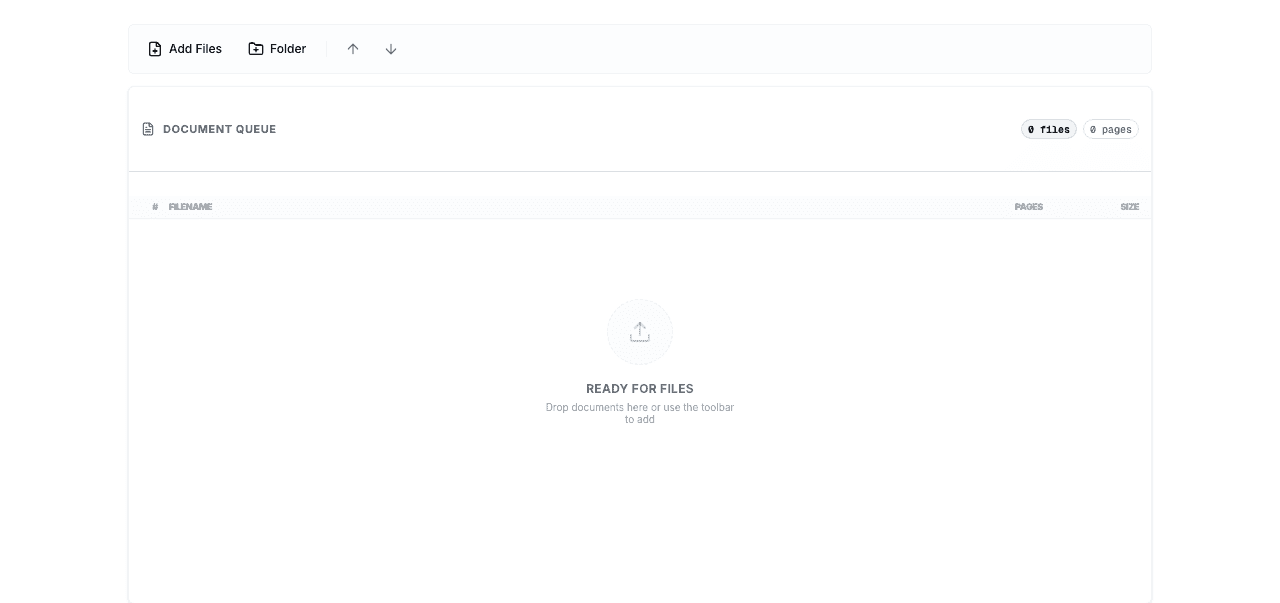
- Select PDF files (they stay on your computer)
- Configure Bates numbering settings
- Process documents in-browser using WebAssembly
- Download stamped files directly
Important Distinction
Modern browser-based tools like BatesFast process documents entirely client-side. Your files never upload to servers—all processing happens in your browser. This is fundamentally different from older cloud-based tools that uploaded documents to remote servers.
Browser-Based Advantages
- No installation: Works immediately on any computer with a browser
- Cross-platform: Same experience on Windows, Mac, Linux, ChromeOS
- Always updated: Automatic updates, no manual maintenance
- Lower cost: Much cheaper than desktop software (e.g., BatesFast $299 one-time vs $240+/year)
- No IT barriers: No admin rights or installation approval needed
- Maximum mobility: Use from any computer, anywhere
- Client-side security: Documents never leave your computer
Browser-Based Disadvantages
- Internet required: Need connection to load the application (though processing is offline)
- Browser limitations: Subject to browser memory and performance constraints
- Fewer features: Typically focused on core functionality rather than extensive PDF editing
- Modern browser required: Needs recent browser version with WebAssembly support
Security Comparison
Desktop Software Security
Advantages:
- Complete offline operation—no internet exposure
- Files never leave your local network
- Full control over data storage and backup
Concerns:
- Software vulnerabilities require manual patching
- Outdated versions may have security flaws
- Installation files could contain malware if from untrusted sources
- Local storage may not be encrypted
Browser-Based Security (Client-Side Processing)
Advantages:
- Documents never upload to servers (with client-side tools like BatesFast)
- All processing happens in your browser
- Automatic security updates through browser updates
- No data retention on external servers
- Browser sandbox provides additional security layer
Concerns:
- Requires trust in the web application provider
- Browser security vulnerabilities could affect processing
- Need to verify the tool actually processes client-side
Critical Distinction
Not all browser-based tools are equal. Some upload documents to cloud servers for processing (security risk), while others like BatesFast process entirely in your browser (secure). Always verify how a tool handles your documents before using it with sensitive materials.
Performance Comparison
Processing Speed
Desktop software:
- Native code execution provides maximum performance
- Direct file system access is very fast
- Can utilize full system resources
- Typical speed: 100-300 pages per minute
Browser-based (WebAssembly):
- WebAssembly approaches native performance (80-95%)
- File access through browser APIs adds slight overhead
- Subject to browser memory limits
- Typical speed: 80-250 pages per minute
For most users, the performance difference is negligible. A 500-page document might take 2 minutes with desktop software versus 2.5 minutes with browser-based tools—not a meaningful difference for typical workflows.
Document Size Limits
Desktop software:
- Limited primarily by available RAM and disk space
- Can handle very large documents (1000+ pages)
- Batch processing of thousands of files
Browser-based:
- Limited by browser memory allocation
- Typically handles documents up to 500-1000 pages comfortably
- Batch processing possible but may have practical limits
Cost Comparison
Desktop Software Costs
- Adobe Acrobat Pro: $239.88/year (subscription) - frequent crashes, slow performance
- Bluebeam Revu: $349/year - Windows-only, steep learning curve
- Foxit PhantomPDF: $149/year - inconsistent UI, compatibility issues
- Specialized litigation software: $300-600+/year
- Enterprise solutions: $1,000+/year per user
- Additional costs: IT support, updates, training, troubleshooting crashes
Note: G2 and Capterra reviews consistently report reliability issues, crashes, and poor support for these desktop tools.
Browser-Based Costs
- BatesFast: $299 one-time purchase (€350 EUR), no subscription, no limitations
- No additional costs: No installation, IT support, maintenance, or troubleshooting
- No crashes or bugs: Stable, reliable performance
- Always updated: Automatic improvements without manual updates
For Bates numbering specifically, browser-based tools like BatesFast offer dramatically better value. Desktop software only makes sense if you need extensive PDF editing beyond Bates numbering - and even then, you're paying for features you may rarely use while dealing with crashes and complexity.
Use Case Recommendations
Choose Desktop Software Only When:
- You need extensive PDF editing capabilities beyond Bates numbering regularly
- You regularly process extremely large documents (1000+ pages) in high volumes
- You work in a completely offline environment with no internet access
- Your organization has already invested in desktop software licenses
- You can tolerate frequent crashes, slow performance, and complexity
Note: Even if you need desktop software for other PDF tasks, consider using BatesFast for Bates numbering to avoid Adobe's reliability issues.
Choose Browser-Based Tools (Recommended):
- You primarily need Bates numbering without extensive PDF editing
- You work from multiple computers or locations
- You want to avoid installation and IT approval processes
- Cost is a significant factor (save $240+/year)
- You value automatic updates and maintenance-free operation
- You need cross-platform compatibility (Windows, Mac, Linux)
- Security through client-side processing is important
- You process typical document sizes (under 500 pages per document)
- You want reliable, crash-free performance
- You're tired of Adobe's bugs and poor support
The Hybrid Approach
Many professionals use both approaches strategically:
- Browser-based for routine work: Quick Bates numbering tasks, working remotely, occasional use
- Desktop for specialized needs: Complex PDF editing, very large documents, offline work
This hybrid strategy provides flexibility while optimizing cost and convenience. Use affordable browser tools like BatesFast ($299 one-time) for most work, reserving expensive desktop software for situations that truly require it.
Future Trends
Browser-based tools are rapidly improving and gaining market share:
- WebAssembly advancement: Performance gap with native applications continues to shrink
- Progressive Web Apps: Browser apps that work offline and feel like native applications
- Increased capabilities: Browser APIs expanding to support more advanced features
- Mobile support: Browser-based tools work on tablets and phones
The trend is clearly toward browser-based solutions for most users, with desktop software becoming specialized tools for power users with specific advanced needs.
Frequently Asked Questions
Are browser-based Bates numbering tools secure?
Yes, if they process documents client-side (in your browser). Tools like BatesFast never upload your documents to servers—all processing happens locally in your browser. This is as secure as desktop software. However, verify that any tool you use actually processes client-side rather than uploading to cloud servers.
Is browser-based Bates numbering as fast as desktop software?
Modern browser-based tools using WebAssembly achieve 80-95% of native desktop performance. For typical documents (under 500 pages), the difference is negligible—perhaps 30 seconds on a 500-page document. Most users won't notice the difference in real-world use.
Do I need internet to use browser-based Bates numbering?
You need internet to initially load the web application, but processing happens offline in your browser. Some browser-based tools can be installed as Progressive Web Apps (PWAs) that work completely offline after initial installation.
Can browser-based tools handle large documents?
Yes, but with practical limits. Browser-based tools typically handle documents up to 500-1000 pages comfortably. For extremely large documents (1000+ pages) or batch processing thousands of files, desktop software may be more appropriate.
Why is desktop software so much more expensive?
Desktop software requires development for multiple platforms (Windows, Mac), distribution infrastructure, update systems, and customer support for installation issues. Browser-based tools have lower development and distribution costs, which translates to lower prices for users.
Can I use browser-based tools on Mac and Windows?
Yes, browser-based tools work identically on Windows, Mac, Linux, and ChromeOS. This cross-platform compatibility is a major advantage over desktop software, which often requires separate versions or doesn't support all platforms.
Do browser-based tools require installation or admin rights?
No, browser-based tools require no installation and no admin rights. Simply visit the website and start using the tool. This eliminates IT approval processes and makes the tools accessible even on locked-down corporate computers.
Which approach is better for occasional users?
Browser-based tools are ideal for occasional users. No installation, no subscription costs, and instant access from any computer make them perfect for users who only need Bates numbering occasionally. Desktop software's high cost and installation requirements are hard to justify for infrequent use.
Conclusion
The choice between desktop and browser-based Bates numbering depends on your specific needs, but for most users, browser-based tools are clearly superior. Desktop software comes with high costs ($240+/year), installation headaches, frequent crashes (especially Adobe Acrobat), and platform limitations.
Modern browser-based tools like BatesFast provide professional Bates numbering for a one-time $299 purchase (with one free preview run), with better security (client-side processing), no installation, no crashes, and cross-platform compatibility. The performance is excellent for typical documents, and you avoid all the frustrations that G2 and Capterra reviewers consistently report about desktop tools.
Only consider desktop software if you genuinely need extensive PDF editing beyond Bates numbering on a regular basis. For Bates numbering specifically, browser-based tools are the smarter, more reliable, and more cost-effective choice.
Experience Browser-Based Bates Numbering
Try BatesFast's modern browser-based approach: no installation, cross-platform compatibility, client-side security, and professional results. Start with one free preview run — then $299 one-time, no subscription.
Try BatesFast Now