Online Bates Numbering Tools: Security, Privacy, and Performance Comparison
Online Bates numbering tools offer convenience, but not all are created equal. This comprehensive guide compares security models, privacy protections, and performance to help you choose the safest, fastest solution for confidential legal documents.
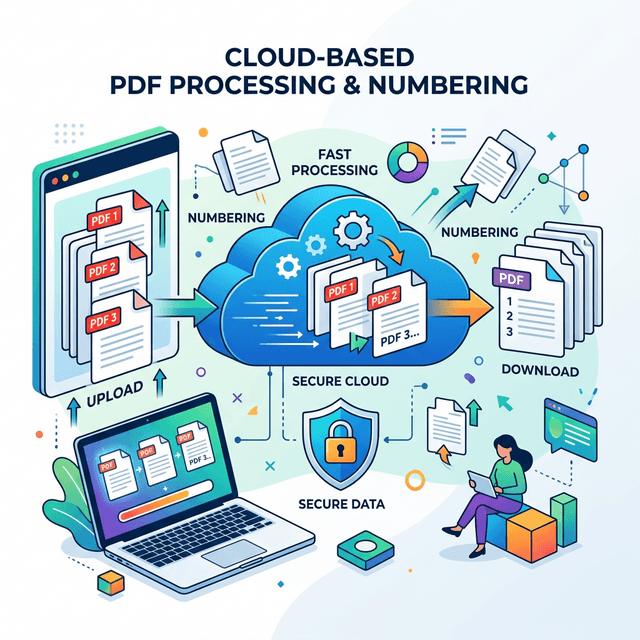
Table of Contents
Security Models: Client-Side vs Server-Side Processing
The most critical distinction between online Bates numbering tools is where document processing occurs. This fundamental architectural difference determines security, privacy, and compliance capabilities.
Client-Side Processing
Documents are processed entirely in your web browser using WebAssembly or JavaScript. Files never leave your computer.
Example: BatesFast
Uses WebAssembly for browser-based processing
Server-Side Processing
Documents are uploaded to remote servers for processing, then downloaded back to you.
Example: Most online PDF tools
Upload → Process → Download model
⚠️ Critical Security Consideration
For legal documents containing attorney-client privileged information, trade secrets, or personal health information (PHI), server-side processing creates unacceptable risks. Client-side processing is the only truly secure option for confidential materials.
Privacy and Data Protection
Client-Side Tools: Maximum Privacy
Client-side Bates numbering tools like BatesFast provide absolute privacy because:
- No uploads: Documents never leave your device
- No storage: No copies retained on any server
- No tracking: Document contents never seen by provider
- No logs: No record of what files you processed
- Low data exposure: Licensing data is separate from document processing
Server-Side Tools: Privacy Risks
Server-side tools create multiple privacy vulnerabilities:
- Upload exposure: Documents transmitted over internet
- Server storage: Files temporarily (or permanently) stored
- Access logs: Records of uploaded files maintained
- Third-party access: Employees may access documents
- Subpoena risk: Stored documents subject to legal process
- Breach vulnerability: Server hacks expose all stored files
🔒 Privacy Best Practice
For attorney-client privileged documents, HIPAA-protected health information, or any confidential business materials, use only client-side processing tools. The privacy risks of server-side processing are unacceptable for sensitive legal work.
Compliance Considerations
| Requirement | Client-Side | Server-Side |
|---|---|---|
| Attorney-Client Privilege | ✓ Safe | ✗ Risk |
| HIPAA Compliance | ✓ Compliant | ✗ Requires BAA |
| GDPR Data Protection | ✓ No processing | ✗ Data transfer |
| Trade Secret Protection | ✓ Secure | ✗ Exposure risk |
Performance and Speed Comparison
Processing Speed
Modern client-side tools using WebAssembly match or exceed server-side performance:
Benchmark: 1,000-Page Document
*Times include upload/download for server-side tools
Factors Affecting Performance
Client-Side Tools
- Computer speed: Faster CPU = faster processing
- Browser: Chrome/Edge typically fastest
- RAM: More memory helps with large files
- No network dependency: Speed consistent regardless of internet
Server-Side Tools
- Upload speed: Major bottleneck for large files
- Download speed: Another delay after processing
- Server load: Slower during peak usage
- Geographic distance: Farther servers = more latency
Feature Comparison
| Feature | BatesFast (Client-Side) | Typical Server-Side |
|---|---|---|
| Custom Bates formats | ✓ | ✓ |
| Batch processing | ✓ | ✓ |
| File renaming | ✓ | Limited |
| Label generation | ✓ | Rare |
| No file size limits | ✓ | ✗ |
| Unlimited documents | ✓ | ✗ |
| Works offline | ✓ | ✗ |
| Free preview run sign-in | ✓ | ✗ |
Cost Analysis
Client-Side Tools
One-time purchase (€350 EUR)
- • No subscription fees
- • No per-page charges
- • No file size limits
- • Unlimited usage
Server-Side Tools
Subscription or pay-per-use
- • Monthly subscription
- • Per-page fees
- • File size limits
- • Usage caps
Recommendations by Use Case
✓ Use Client-Side Tools For:
- • Attorney-client privileged documents
- • Medical records (HIPAA)
- • Trade secrets and confidential business information
- • Personal identifying information (PII)
- • Any sensitive or confidential materials
- • High-volume batch processing
- • Cost-effective alternative to $300/year subscriptions
⚠ Server-Side Tools Only If:
- • Documents are already public
- • You have explicit client consent for upload
- • Provider has proper security certifications
- • Business Associate Agreement in place (HIPAA)
- • You understand and accept the risks
Frequently Asked Questions
How can I verify a tool uses client-side processing?
Open your browser's developer tools (F12) and check the Network tab while processing a document. Client-side tools show no file uploads. You can also disconnect your internet after the page loads - client-side tools continue working.
Are client-side tools as powerful as desktop software?
Yes. Modern WebAssembly technology allows browser-based tools to match desktop software performance. BatesFast processes documents as fast as Adobe Acrobat while offering better security through client-side processing.
What happens to my documents on server-side tools?
Server-side tools upload your documents to their servers for processing. While most claim to delete files after processing, you have no way to verify this. Your documents pass through their systems and may be logged, analyzed, or retained.
Can I use online Bates numbering tools for HIPAA-protected documents?
Only client-side tools are HIPAA-safe without a Business Associate Agreement. Server-side tools require BAAs and still create unnecessary risks. For maximum HIPAA compliance, use client-side processing tools like BatesFast.
Conclusion
When choosing an online Bates numbering tool, security and privacy should be your top priorities. Client-side processing tools like BatesFast offer a strong combination: local document processing, strong privacy, fast performance, and one free preview run.
Server-side tools create unacceptable risks for confidential legal documents. The convenience of online access doesn't require sacrificing security - client-side tools provide both. For professional legal work, choose tools that process documents in your browser without uploads.
Try the Most Secure Online Bates Numbering Tool
BatesFast uses client-side processing for maximum security. Your documents never leave your computer. Start with one free preview run, then $299 one-time purchase.
Try BatesFast Now