Medical Records Bates Numbering: HIPAA Compliance Guide
Medical records require special handling when applying Bates numbers. Learn how to manage healthcare litigation documents while maintaining strict HIPAA compliance and protecting patient privacy.

Medical Records in Litigation
Medical records are central to healthcare litigation—medical malpractice, personal injury, disability claims, and insurance disputes all rely heavily on medical documentation. Proper Bates numbering of medical records requires understanding both litigation requirements and healthcare privacy regulations.
Common litigation types involving medical records:
- Medical malpractice: Claims of negligent medical care
- Personal injury: Injury documentation and treatment records
- Disability claims: Social Security and insurance disability cases
- Workers' compensation: Workplace injury treatment records
- Insurance disputes: Coverage and treatment necessity claims
- Wrongful death: Medical care leading to patient death
Critical Requirement
Medical records can contain Protected Health Information (PHI). Handling obligations depend on the entity, the information, and the disclosure. Use the HHS Security Rule guidance to evaluate safeguards rather than treating a numbering tool as proof of compliance.
HIPAA Compliance Requirements
Understanding Protected Health Information (PHI)
PHI includes any information that can identify a patient and relates to their health condition, treatment, or payment:
Common PHI identifiers:
- Names
- Addresses (including city, state, ZIP)
- Dates (birth, admission, discharge, death)
- Phone and fax numbers
- Email addresses
- Social Security numbers
- Medical record numbers
- Account numbers
- Photos and images
- Biometric identifiers
Minimum Necessary Standard
HIPAA generally requires limiting PHI to the minimum necessary for the purpose, with exceptions such as disclosures under an individual authorization. Apply the correct standard and follow the scope of the applicable authorization or order. See HHS minimum necessary guidance.
- Only disclose records directly relevant to the litigation
- Redact unrelated medical information
- Remove information about non-party patients
- Limit disclosure to authorized parties
Authorization Requirements
Before producing medical records, determine the legal basis and scope of disclosure. A court order and a subpoena without an order have different conditions. See HHS guidance on subpoenas.
- Patient authorization: Written HIPAA-compliant authorization from patient
- Legal process: Review the conditions for disclosure under the applicable court order or subpoena; a subpoena alone is not always sufficient.
- Qualified protective order: Court order with specific privacy protections
- Legal representative: Authorization from patient's legal representative
Security Requirements
HIPAA requires safeguards to protect PHI:
- Encryption: Encrypt electronic medical records during storage and transmission
- Access controls: Limit access to authorized personnel only
- Audit trails: Track who accesses medical records
- Secure transmission: Use encrypted methods for sending records
- Physical security: Secure storage for paper records
Medical Records Bates Numbering Workflow
Step 1: Obtain Records
From healthcare providers:
- Send HIPAA-compliant authorization or subpoena
- Specify date range and types of records needed
- Request records in electronic format (PDF preferred)
- Verify completeness upon receipt
- Check for proper certification
From clients:
- Obtain signed HIPAA authorization
- Request all relevant medical records
- Verify records are complete and legible
- Organize chronologically
Step 2: Review and Organize
Organization strategies:
- Chronological: Order by date of service (most common)
- By provider: Group by treating physician or facility
- By condition: Organize by medical condition or body system
- By record type: Group office visits, lab results, imaging, etc.
Quality checks:
- Verify all pages are legible
- Check for duplicate pages
- Ensure proper page orientation
- Confirm dates are visible
- Identify any missing records
Step 3: Redaction (If Required)
Redact information not relevant to the litigation:
- Unrelated conditions: Medical information not at issue in the case
- Third parties: Information about non-party patients
- Sensitive information: Mental health, substance abuse, HIV status (unless relevant)
- Financial information: Billing details not relevant to medical care
Redaction best practices:
- Use permanent redaction (not just black boxes)
- Redact consistently throughout all records
- Document what was redacted and why
- Verify redactions are complete before Bates numbering
Step 4: Apply Bates Numbers
Recommended format for medical records:
Format: [CASE]-MED-[PROVIDER]-[NUMBER]

Examples:
SMITHVHOSP-MED-GENERAL-000001
SMITHVHOSP-MED-ORTHO-000001
SMITHVHOSP-MED-RADIOLOGY-000001

Or by patient:
SMITH-MED-000001 (if single patient)
DOE-MED-000001 (if multiple patients)
Placement considerations:
- Bottom right corner is standard
- Ensure Bates numbers don't obscure medical information
- Use consistent placement throughout all records
- Consider smaller font for dense medical records
Step 5: Create Medical Records Index
A detailed index is essential for medical records:
Bates Range    | Date       | Provider        | Record Type
MED-000001-005 | 01/15/2024 | Dr. Smith       | Office Visit
MED-000006-010 | 01/15/2024 | General Hosp    | Lab Results
MED-000011-025 | 01/20/2024 | General Hosp    | ER Records
MED-000026-050 | 01/22/2024 | Radiology Assoc | MRI Report
Step 6: Secure Production
Produce medical records with appropriate security:
- Encryption: Encrypt files before transmission
- Secure delivery: Use secure file transfer or encrypted email
- Confidentiality designation: Mark as confidential
- Protective order: Ensure protective order is in place
- Receipt confirmation: Confirm secure receipt
Security Best Practices
Client-Side Processing
For maximum security, use tools that process medical records locally:
- BatesFast approach: All processing happens in your browser
- No uploads: Medical records never leave your computer
- No server storage: No copies retained on external servers
- Complete control: You maintain custody of PHI at all times
Local Processing and Privacy
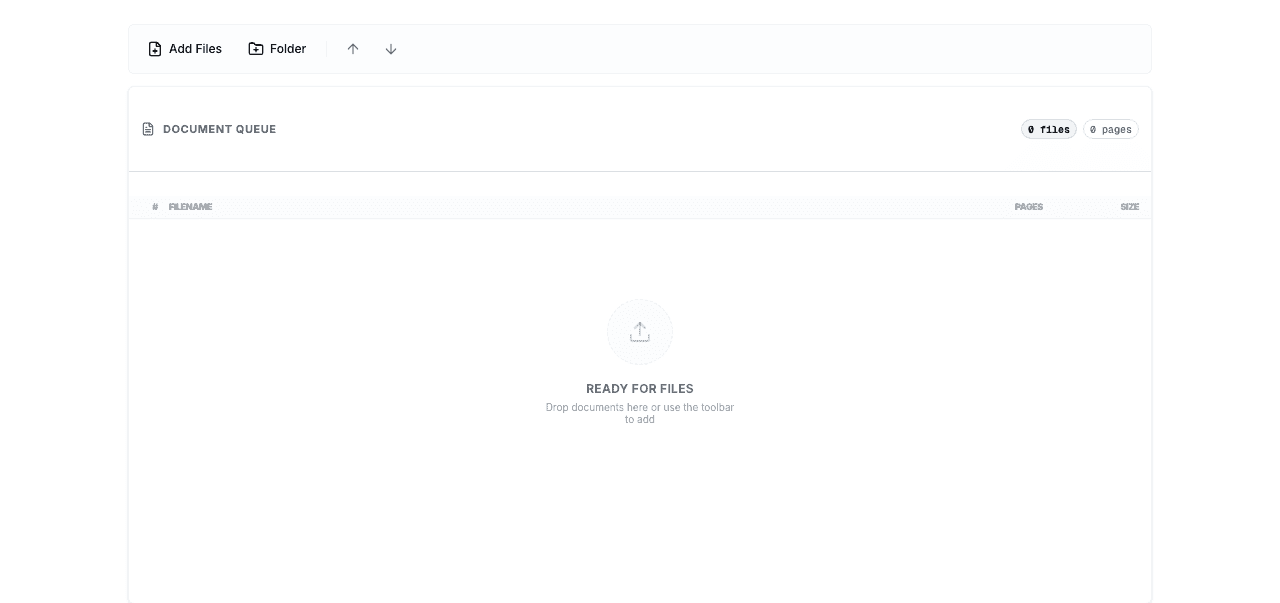
BatesFast processes source documents locally in the browser. That reduces exposure to a processing server but does not establish HIPAA compliance or determine whether a BAA is needed. Evaluate the provider relationship using HHS business associate guidance.
Storage Security
Electronic storage:
- Use encrypted drives or folders
- Implement access controls
- Enable audit logging
- Regular backups to secure locations
- Secure deletion when no longer needed
Physical storage:
- Locked file cabinets or rooms
- Limited access to authorized personnel
- Sign-out logs for file access
- Secure destruction (shredding) when disposing
Transmission Security
Secure methods:
- Encrypted email (with password-protected attachments)
- Secure file transfer services (with encryption)
- Secure client portals
- Hand delivery for highly sensitive records
Avoid:
- Unencrypted email
- Fax (unless encrypted fax service)
- Public file sharing services
- Unsecured cloud storage
Special Considerations for Medical Records
Imaging and Diagnostic Records
X-rays, MRIs, and other imaging require special handling:
- Digital images: Apply Bates numbers to image files or reports
- Physical films: Label with Bates numbers on envelope/jacket
- DICOM files: Convert to PDF or JPEG before Bates numbering
- Radiology reports: Number reports separately from images
Handwritten Records
Handwritten medical records present legibility challenges:
- Scan at high resolution (300 DPI minimum)
- Verify scans are legible before Bates numbering
- Consider obtaining typed transcriptions for illegible records
- Preserve original handwritten records
Multi-Page Forms
Medical records often include multi-page forms:
- Number each page sequentially
- Maintain form integrity (don't separate pages)
- Note in index when forms span multiple Bates numbers
- Ensure all pages of forms are included
Duplicate Records
Medical records often contain duplicates:
- Identify and remove exact duplicates before numbering
- Keep one copy of duplicate records
- Note in index if duplicates were removed
- Preserve originals in case questions arise
Common Medical Records Challenges
Challenge: Incomplete Records
Problem: Healthcare providers produce incomplete medical records.
Solution:
- Compare records to provider's index or certification
- Follow up with provider for missing records
- Document gaps in medical records index
- Consider subpoena if provider is uncooperative
Challenge: Poor Quality Scans
Problem: Provider supplies illegible or poor-quality scanned records.
Solution:
- Request higher quality scans from provider
- Obtain original paper records if necessary
- Use image enhancement software to improve legibility
- Note legibility issues in production index
Challenge: Mixed Formats
Problem: Records arrive in multiple formats (paper, PDF, images, DICOM).
Solution:
- Convert all records to PDF format
- Maintain consistent page size and orientation
- Organize before applying Bates numbers
- Document original format in index
Challenge: Privacy Concerns
Problem: Records contain highly sensitive information (mental health, substance abuse, HIV).
Solution:
- Verify authorization covers sensitive records
- Consider additional protective measures
- Redact if not relevant to litigation
- Use heightened confidentiality designations
- Limit distribution to essential parties only
Frequently Asked Questions
Do I need a Business Associate Agreement to use Bates numbering software for medical records?
Whether a BAA is needed depends on whether the provider creates, receives, maintains, or transmits PHI on behalf of a regulated entity. Local processing may limit provider involvement, but it does not automatically settle that question. Review the actual data flows and provider relationship.
How should I organize medical records before applying Bates numbers?
Chronological order by date of service is most common and useful. Within each date, organize by record type (office visit, lab results, imaging). This organization makes records easy to review and reference during litigation.
What information should I redact from medical records?
Review redactions against the applicable authorization, court order, and disclosure rules. Limit PHI where the minimum necessary standard applies; it has exceptions, including disclosures under an individual authorization. Preserve the original records and confirm the production scope with counsel.
How should I transmit Bates-numbered medical records?
Use encrypted methods: encrypted email with password-protected attachments, secure file transfer services, or secure client portals. Never send medical records via unencrypted email or unsecured file sharing. Confirm receipt and secure handling by recipient.
What Bates number format works best for medical records?
Use format: [CASE]-MED-[PROVIDER]-[NUMBER] or [PATIENT]-MED-[NUMBER]. Example: SMITHVHOSP-MED-GENERAL-000001. This clearly identifies the case, indicates medical records, identifies the provider, and provides sequential numbering.
How long should I retain Bates-numbered medical records?
Apply the retention rules, preservation duties, court orders, and organizational policies that govern the records. There is no single retention period for every medical-record litigation file. Preserve original and produced versions as required, and use secure disposal when permitted.
Can I apply Bates numbers to medical imaging files?
Yes, convert DICOM or other imaging formats to PDF or JPEG first, then apply Bates numbers. Alternatively, apply Bates numbers to radiology reports and reference the associated images. Label physical films with Bates numbers on the envelope or jacket.
What if medical records contain information about multiple patients?
Redact information about non-party patients before Bates numbering. If records legitimately involve multiple parties to the litigation, use separate Bates number ranges for each patient or clearly identify which patient each record pertains to in your index.
Conclusion
Bates numbering medical records requires careful attention to both litigation requirements and HIPAA compliance. By following proper procedures—obtaining appropriate authorization, organizing records systematically, applying redactions when necessary, using secure processing methods, and maintaining strict confidentiality—you can effectively manage medical records in litigation while protecting patient privacy.
Local processing keeps source documents off a processing server. Combine it with appropriate access controls, device security, storage, and disclosure procedures to protect medical records throughout the workflow.
Whether handling a simple personal injury case or complex medical malpractice litigation, proper medical records management with appropriate Bates numbering creates organized, professional productions that serve your clients while respecting patient privacy rights.
Bates Numbering for Medical Records
Process source medical records locally with BatesFast, without uploading them to a processing server. Review the workflow against your privacy and security requirements. Start with one free preview run, then $299 one-time purchase.
Process Medical Records Securely